Core Web Vitals for WordPress: how to fix LCP, INP and CLS
What LCP, INP and CLS really measure on a WordPress site, how to find what's dragging each one down, and the fixes that work.
Core Web Vitals are Google’s way of measuring whether a page feels fast and stable to real visitors. They’re part of Google’s page experience signals, but the bigger reason to care is simpler: slow, jumpy pages lose visitors before they read a word. On WordPress, most poor scores come from a short list of causes, and once you know which metric is failing, the fix is usually clear. Here’s how to approach Core Web Vitals on a WordPress site.
The three metrics, in plain English
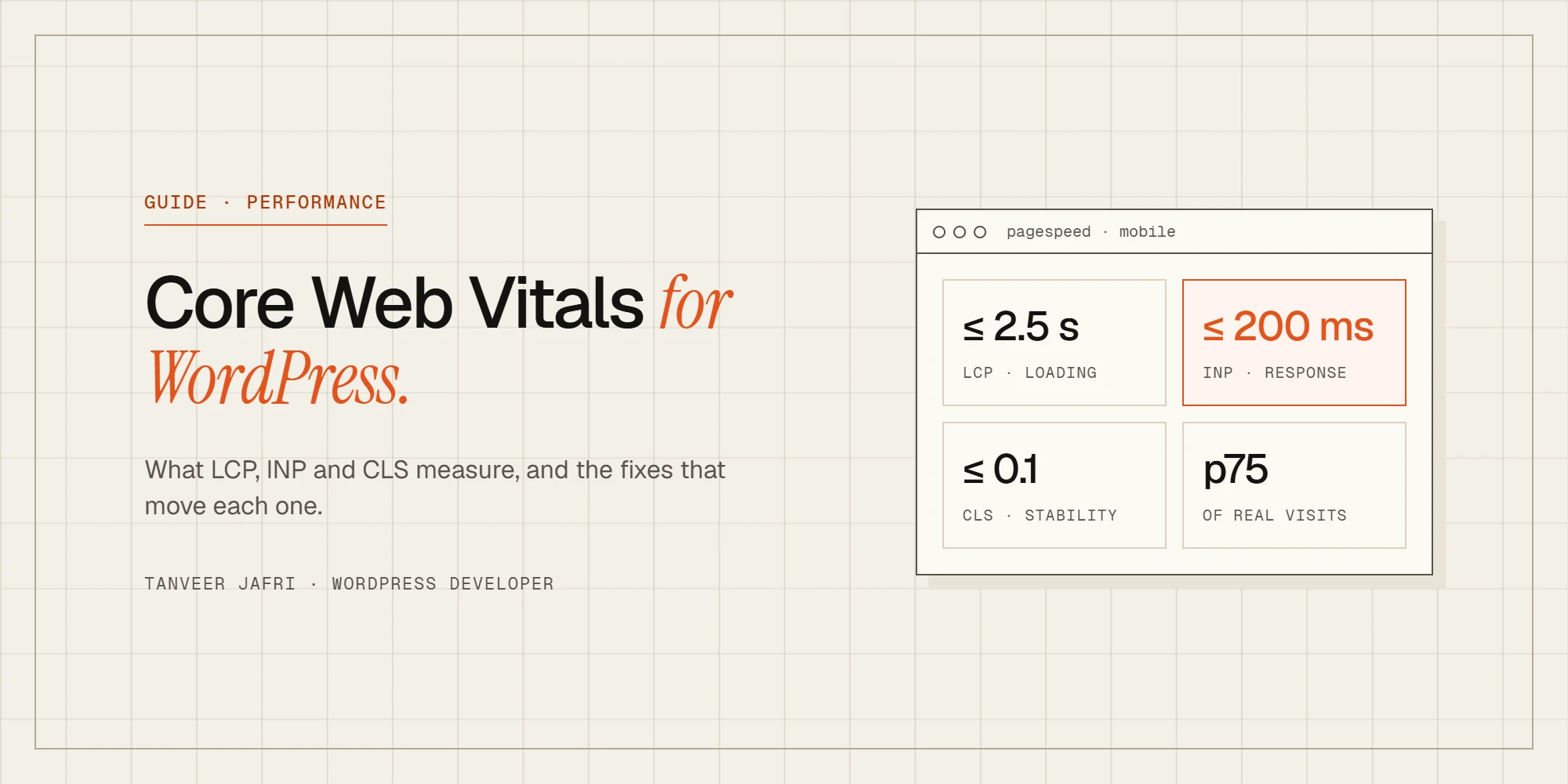
- Largest Contentful Paint (LCP) measures loading: how long until the biggest thing in the first screen, usually a hero image or headline, appears. Good is 2.5 seconds or less.
- Interaction to Next Paint (INP) measures responsiveness: how long the page takes to visibly react after a tap, click or key press. Good is 200 milliseconds or less. INP replaced First Input Delay as a Core Web Vital in March 2024.
- Cumulative Layout Shift (CLS) measures stability: how much content jumps around while the page loads. Good is 0.1 or less.
Google assesses each metric at the 75th percentile of real visits, separately for mobile and desktop. In other words, three out of four visitors should get a good experience.
Field data vs lab data
PageSpeed Insights shows two kinds of results, and confusing them causes a lot of wasted effort:
- Field data (“Discover what your real users are experiencing”) comes from real Chrome users over the previous 28 days. This is what counts for Core Web Vitals.
- Lab data (the performance score) is a single simulated load on a throttled device. It’s useful for diagnosing problems, but it isn’t your Core Web Vitals result.
If your site has field data, start there. Google Search Console’s Core Web Vitals report groups URLs with similar problems, which tells you which templates to fix: often the product page or the blog post layout rather than individual pages. Changes take up to 28 days to show fully in field data, so be patient after a fix.
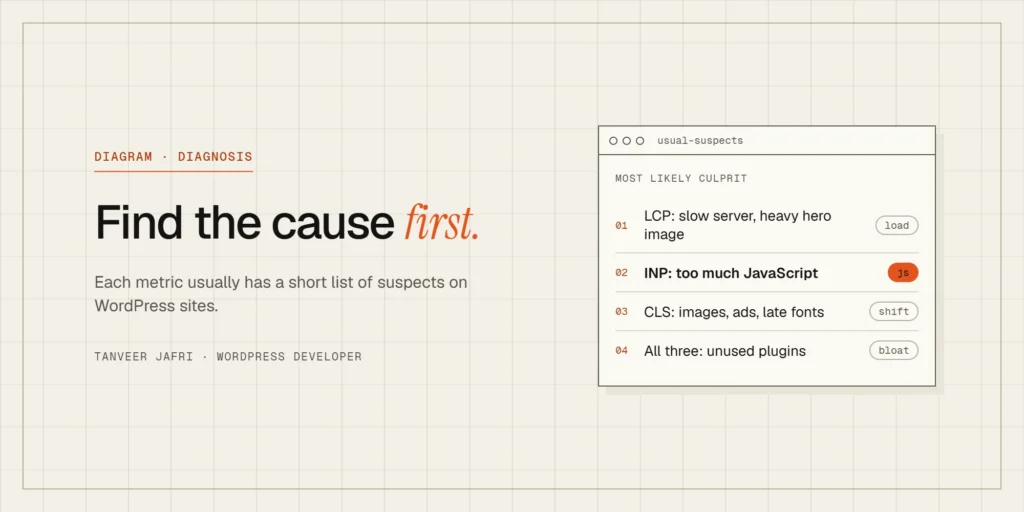
Fixing LCP on WordPress
LCP has two halves: how long the server takes to send the page, and how long the largest element takes to load and render.
Make the server fast
- Use page caching so most visitors get prebuilt HTML instead of WordPress building every page from scratch.
- Choose hosting with modern PHP, enough resources and server-level caching. Slow uncached response times limit everything else.
- Add a persistent object cache such as Redis for logged-in users and WooCommerce carts.
- Use a CDN so assets are served close to visitors.
Make the LCP element load first
- Find the LCP element in PageSpeed Insights. It’s often the hero image.
- Serve it at the size it’s displayed, in WebP or AVIF.
- Don’t lazy-load it. Lazy loading is great for images further down the page and harmful for the main image. Recent WordPress versions try to skip lazy loading for the first large image, but page builders and plugins can override that.
- Give it high priority with
fetchpriority="high"or a preload, especially if it’s a CSS background image the browser would otherwise discover late. - Reduce render-blocking CSS and fonts so the browser can paint sooner.
Fixing INP on WordPress
INP problems almost always come from too much JavaScript on the main thread. When the browser is busy running scripts, it can’t respond to the visitor.
- Audit plugins. Sliders, popups, chat widgets, analytics, heatmaps and social embeds all add JavaScript. Remove what you don’t need.
- Delay non-essential scripts until after the page is interactive or until the first user interaction. Then test menus, forms and checkout, because delayed scripts are the usual cause of broken buttons.
- Avoid heavy effects that run on scroll, such as parallax and complex animations.
- Watch third-party tags. Tag managers make it easy to add one more script, and each one costs responsiveness.
- On WooCommerce, be careful with live AJAX features such as instant search, cart fragments and dynamic pricing, which can run on every page.
INP is measured on every interaction during a visit, so a slow mobile menu or a sluggish filter on a category page counts as much as the first click.
Fixing CLS on WordPress
Layout shift happens when something appears or resizes after the page has started rendering and pushes content down.
- Set width and height on images and videos so the browser reserves space. WordPress adds these automatically to images inserted through the editor; custom HTML and some builders don’t.
- Reserve space for embeds and ads, such as maps, video players and ad slots, with a fixed or minimum height.
- Avoid injecting banners at the top after load. Cookie notices and announcement bars should overlay content or be part of the initial layout.
- Load fonts carefully. Host fonts locally, preload the main font files and use
font-display: swapwith similar fallback fonts so text doesn’t jump when the web font arrives. - Don’t animate layout properties. Animate with transform and opacity instead of top, height or margin.
Page builders and Core Web Vitals
Page builders aren’t automatically slow, but they make it easy to add weight. On Elementor sites, using containers instead of nested sections, fewer widgets, inline SVG icons and external CSS files makes a measurable difference. I’ve written a full guide on how to speed up an Elementor website that goes into each of those. For stores, it’s also worth reading why WooCommerce stores feel slow even with caching, because perceived speed and measured speed aren’t the same thing.
Test on a real phone
Most WordPress sites pass Core Web Vitals on desktop and fail on mobile, because phones have slower processors and connections. Desktop testing hides the problem. Before and after every change, open the site on a mid-range Android phone over mobile data, not office Wi-Fi, and use it the way a visitor would: open the menu, scroll a long page, use the search, add something to the cart. If something feels sluggish to you, it’s probably showing up in your INP data too. Chrome’s DevTools can also simulate a slower CPU and network, which is useful for reproducing problems at your desk, but nothing replaces a real device in your hand.
Using WP Rocket? Its file optimisation settings are where most Core Web Vitals gains come from, and where most WooCommerce breakages start. Here are the WP Rocket settings I use on WooCommerce stores.
A practical order of work
- Check field data in PageSpeed Insights and Search Console; note which metric fails, on which templates.
- Fix server response time and caching first, since it helps every metric.
- Fix the LCP element on the key templates.
- Cut and delay JavaScript for INP.
- Reserve space for images, embeds and banners for CLS.
- Re-test in the lab immediately; confirm in field data over the following weeks.
Frequently asked questions
Do Core Web Vitals affect Google rankings?
They’re part of Google’s page experience signals, but relevance and content quality matter much more. Good Core Web Vitals won’t rescue a weak page, but on competitive searches and for real visitors they make a difference.
Why is my PageSpeed score low when Core Web Vitals pass?
The score is a lab simulation on a slow device. If your field data passes, real visitors are having a good experience. Use the lab report for clues, not as the goal.
Is a caching plugin enough?
Caching fixes server response time, which helps LCP. It doesn’t fix heavy JavaScript, unoptimized images or layout shift. Those need changes to the site itself.
Want your Core Web Vitals fixed?
Performance work is part of my bug fixes and technical improvements service, from caching setup to rebuilding heavy templates. On one WooCommerce store, a custom perceived performance plugin took cached page changes from 1.2–2.5 seconds down to 45–170 milliseconds. If your site is failing Core Web Vitals, send me the URL and I’ll tell you what’s holding it back.

Tanveer JafriFreelance WordPress developer. I build WooCommerce functionality, custom plugins and Elementor Pro sites. About me